Your own CSS and JS
Add your own files to change anything in VS Code's interface. They stay in place until you turn them off, and a VS Code update doesn't make you start over: Stylesmith offers to apply them again.
 Stylesmith
A safe way to customize VS Code: your own CSS and JS, with its
security policy kept on.
A retro and cyberpunk style kit: themes, icons, fonts and
effects.
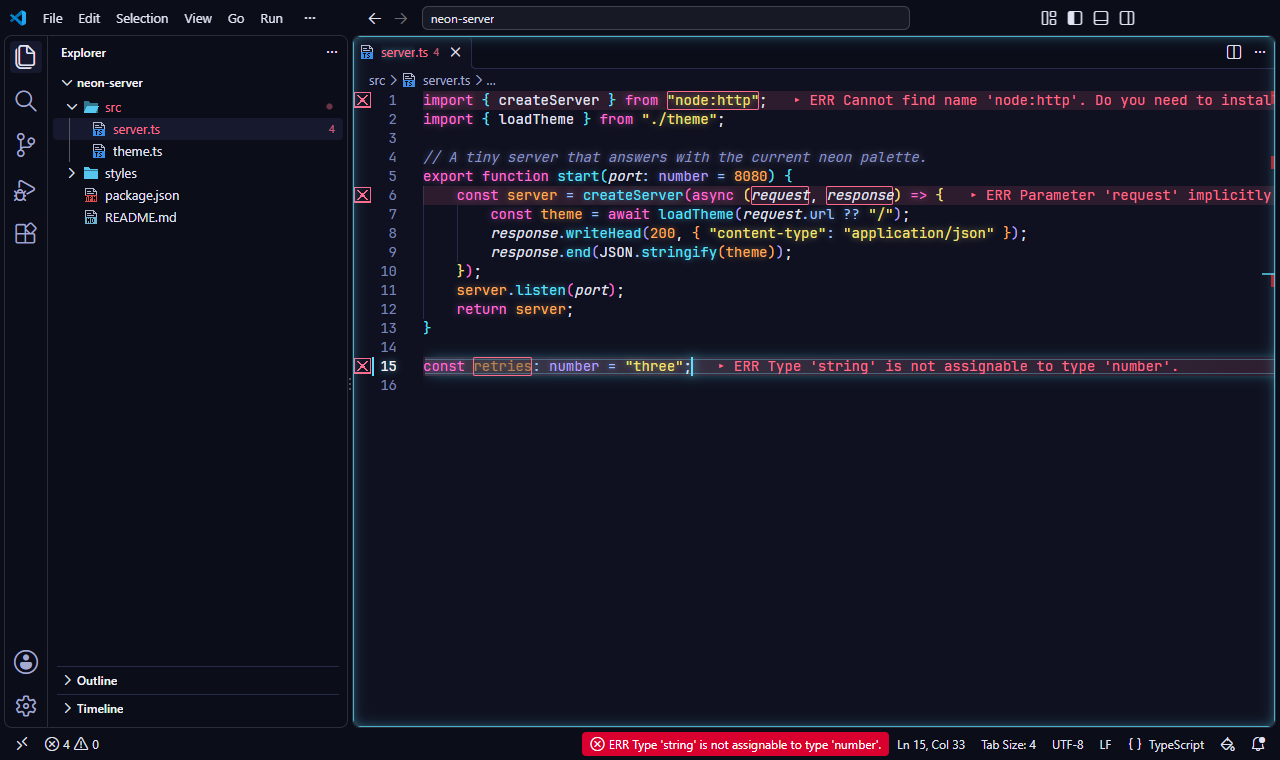
A preset sets up a complete look in one step: a color theme, the pixel icons, a Nerd Font and a set of effects. Afterwards you can still change anything on its own.
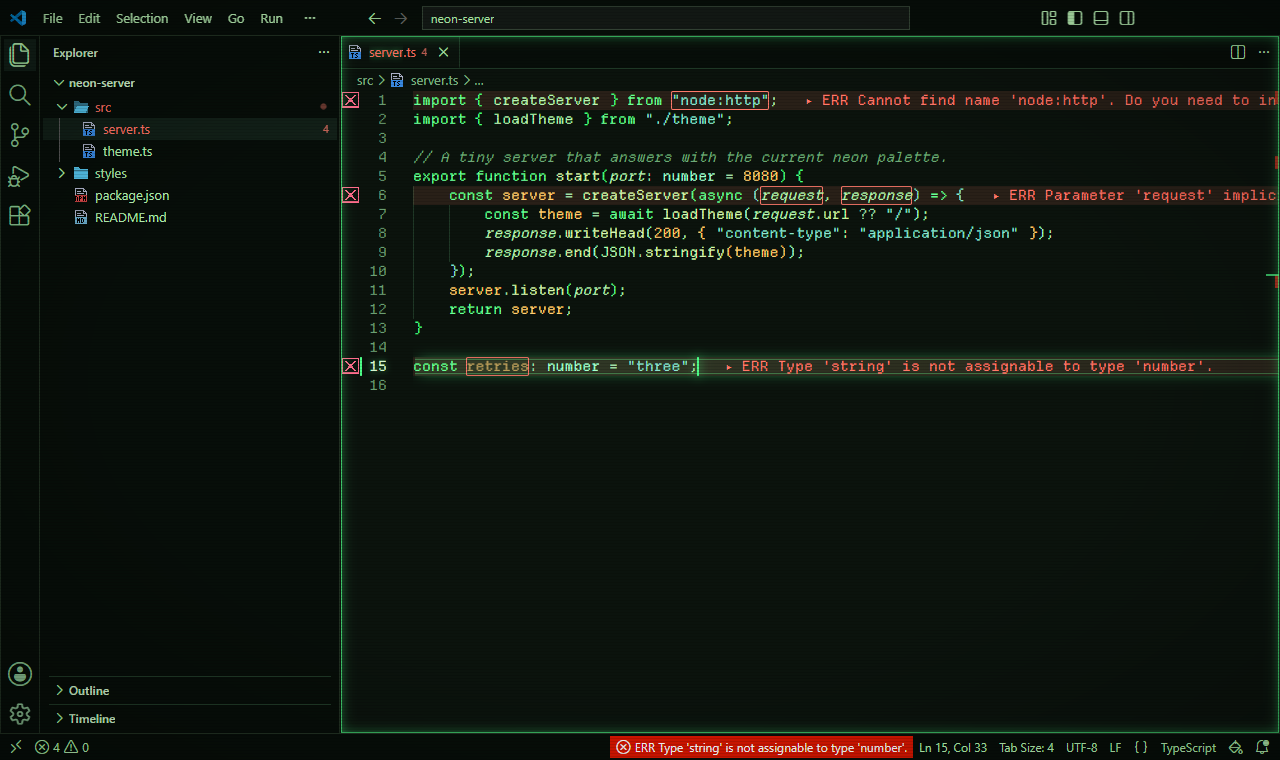
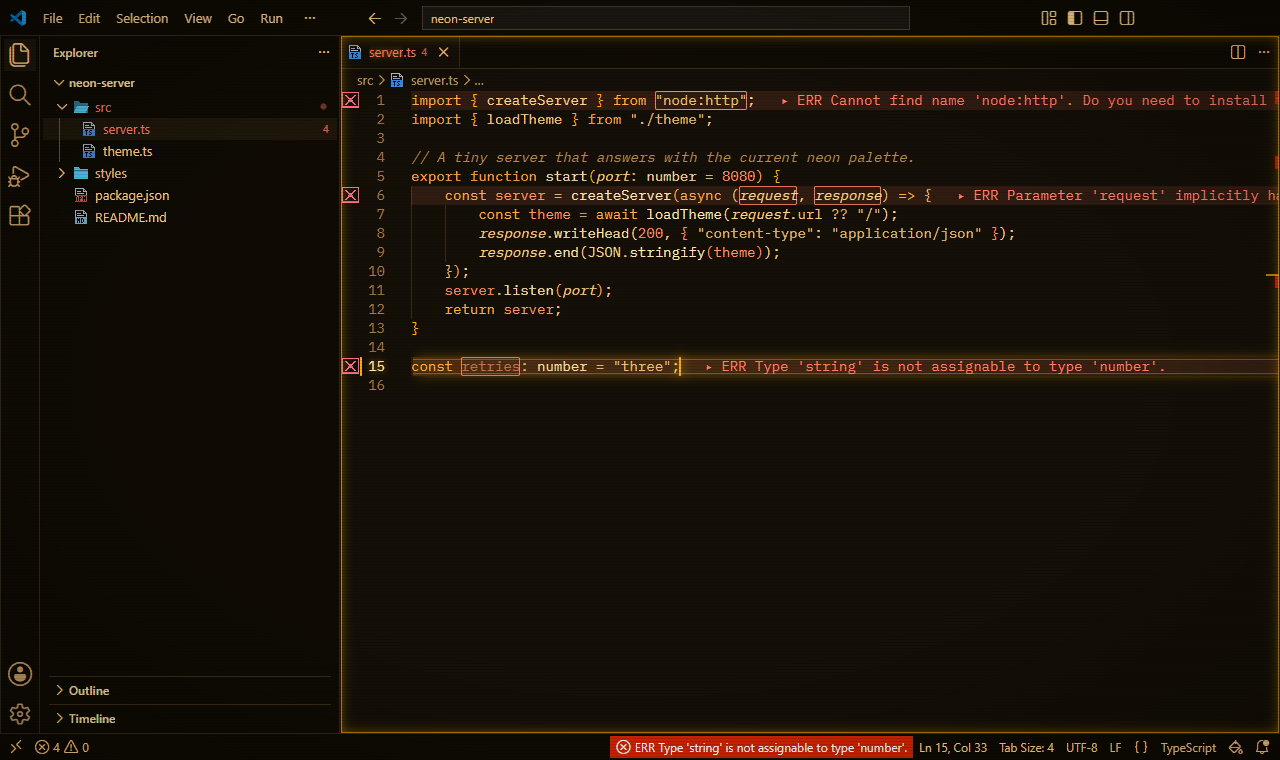
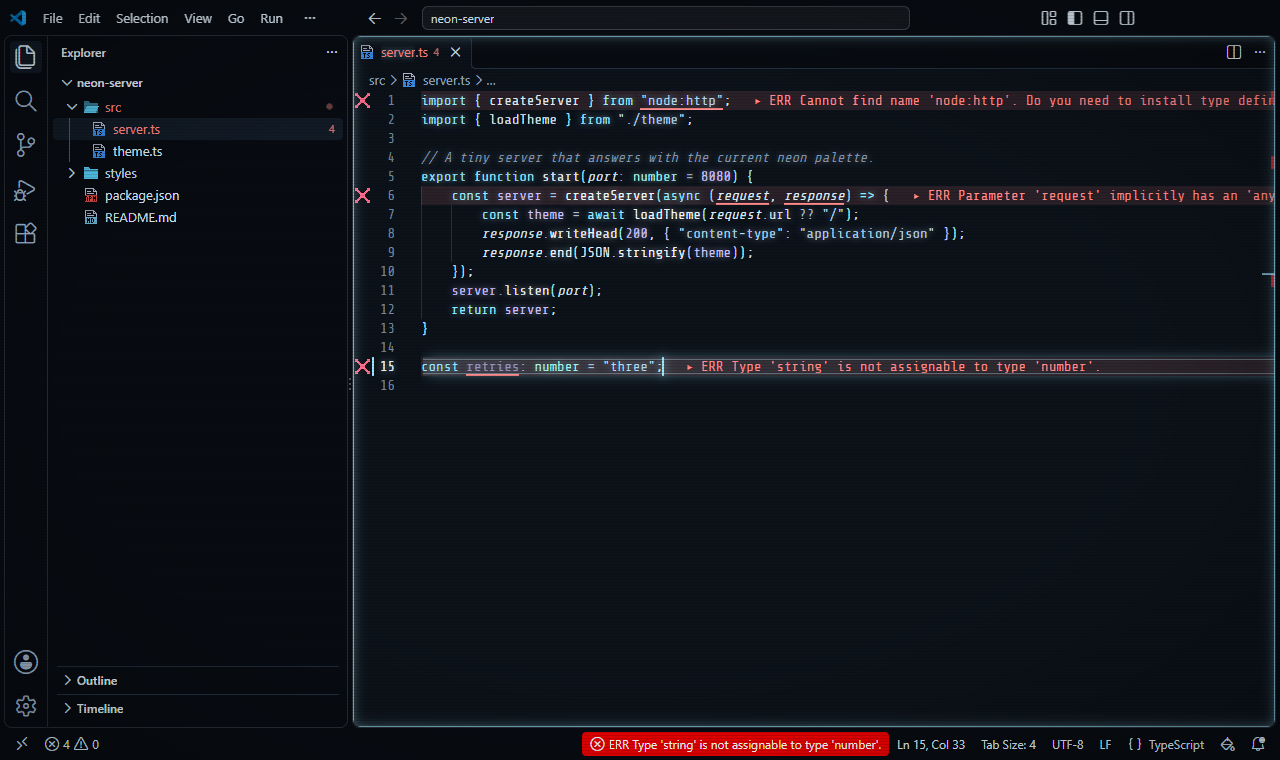
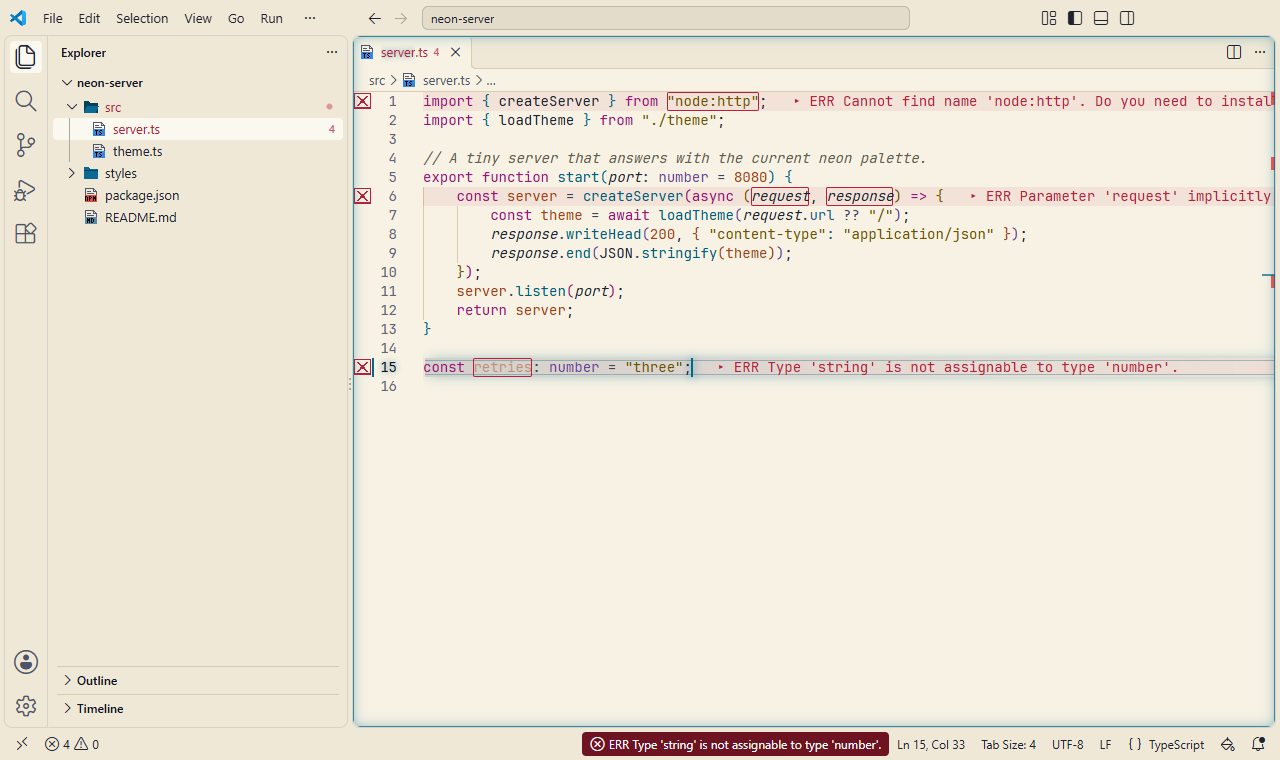
There's also a High Contrast preset, with nothing that moves.
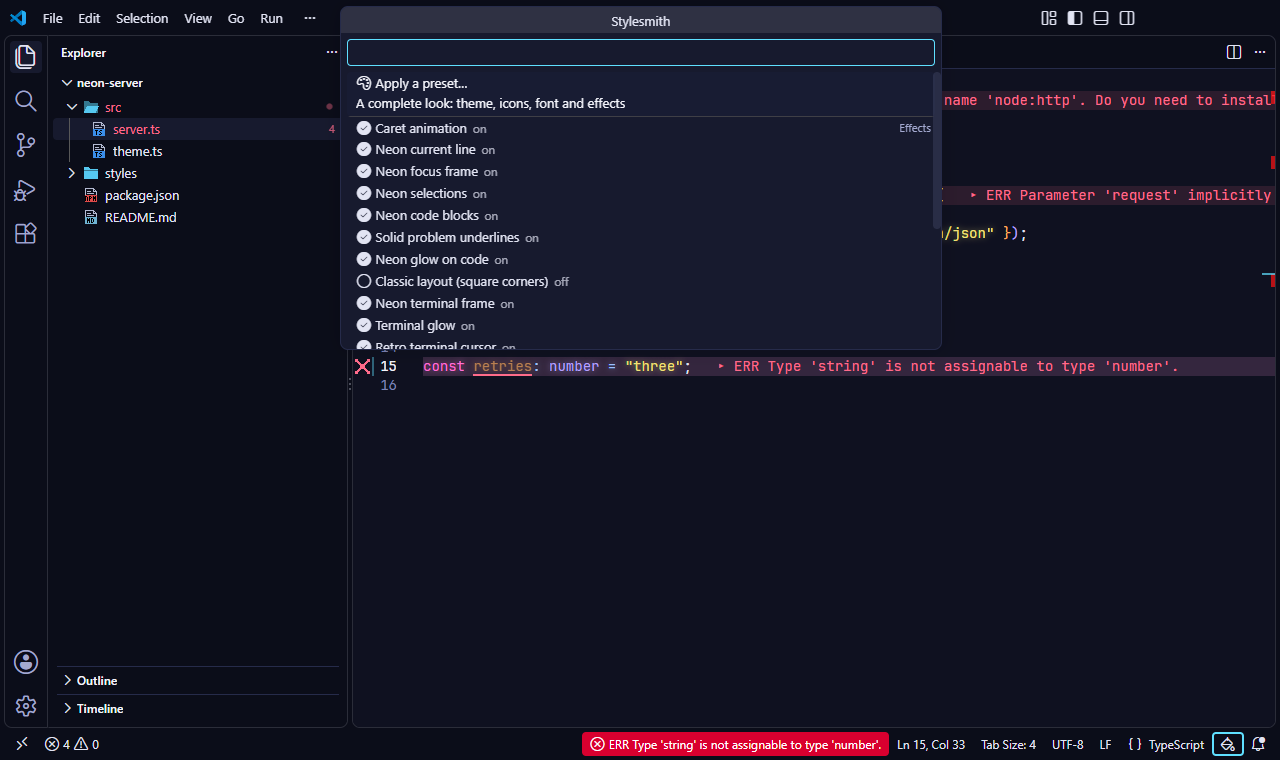
Click the paint-can button at the right end of the status bar to apply a preset,
turn each effect on or off, or change the font. Prefer files? You can set
everything in settings.json: the README lists
every setting with a short comment.
Add your own files to change anything in VS Code's interface. They stay in place until you turn them off, and a VS Code update doesn't make you start over: Stylesmith offers to apply them again.
A gliding caret, a neon current line, glowing code and terminal text, code blocks and selections, CRT scanlines, typing sparks, a boot sequence and a glitch on save. The loud ones are off until you turn them on, and none of them do any work while you're idle.
Errors and warnings right on their line: a soft tint, a pixel icon in the gutter, the message at the end of the line, and the problem in the status bar.
Dark, light and high contrast. Every theme is checked against the WCAG contrast levels and simulated for color blindness, so the colors that carry meaning stay apart.
JetBrainsMono, BlexMono, ShureTechMono and DepartureMono, bundled and set for the editor and terminal. Your own fonts stay as fallbacks.
Prefer square corners and tabs that look like tabs? One switch brings back the classic look of VS Code, and puts your settings back when you turn it off.
Tools that change VS Code's look have to change VS Code's own files. Stylesmith does it without turning off what keeps VS Code secure:
http://,
https:// only if you allow it, a size limit, and optional
fingerprints that refuse a file that changed.
Found a problem? Please report it privately, as described in the security policy.
Get Stylesmith from the VS Code Marketplace: search for "Stylesmith" in the Extensions view, or run:
code --install-extension 21010.stylesmithThen open the Command Palette and run Stylesmith: Enable, or click the paint-can button in the status bar and pick a preset. The README explains every setting.
Each version is also on
GitHub as a
.vsix file with a signed build provenance, so you can check that it
was built from the public source.
Stylesmith is free and open source, with no ads and no tracking. If it makes your editor a nicer place to work, you can support its development through GitHub Sponsors.